Showing posts with label OGC services. Show all posts

Thursday, December 29, 2016

2016 in retrospect

The end of the year is nearing and it is time to look back at the passing year and list my top 3 of FME 2016 functionalities.
At the same time its also a time to look forward to the coming year and the upcoming FME functionalities in FME 2017.

This year I actually wanted to combine both aspects into a double top 3, first my top 3 of FME 2016 functionalities and a second top 3 which involves a new FME 2017 functionality.


I hope I am not giving away a functionality that Safe intends to blog about, so if that is the case....my apologies in advance.
But personally I think that there will be so many awesome additions in 2017 that the little bit I am using doesn't even make a small dent in the pile of 2017 goodies that Safe can use to blog about.

My FME 2016 top 3

1. FeatureWriter

2016 started with the announcement (for me it felt more like a meteor fall...) that in the future FME will be used without any Readers and Writers
You probably all know what I am referring to, the birth of the FeatureWriter,
the transformer that would ".... shake most FME users to their very core!"
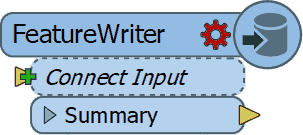
I have to admit that initially I didn't see what all the excitement was about, but as the year worn on and I started using it more and more, I can tell you right now that I wouldn't know how I could have done without it! (well probably using a lot more workspacesto get the same job done)

So it's no surprise that it is by far the number 1 on my top 3 for FME 2016 functionalities. Personally I think Safe succeeded in delivering what they promised and that the time of no Readers and Writers workspaces is nearing.

2. AttributeManager

The AttributeManager  was another FME 2016 functionality which slowly changes our approach into data transformation and in a good way.
No more AttributeCopier, AttributeCreator, AttributeRenamer, etc, etc necessary, a single super transformer to replace them all.
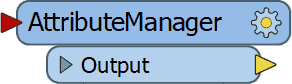
Personally I really like the AttributeManager for it capabilities, but there is one small annoying issue with it and that is the fact that it requires my attention way to often when the data schema changes.

So I have resorted to update the AttributeManager content when the workspace is finished, instead of continuously updating it. Despite that the AttributeManager makes so much possible with one single transformer and that is why it's my number 2 on the top 3 of FME 2016 functionalities.


3.WFS Paging settings

My previous post was on this awesome functionality (secretly?) added to the WFS reader .
If you use WFS OGC services a lot then I bet you are as exited as I am about this hidden gem.

In the past I have demonstrated how to use ResponcePaging in FME, but that required some inventive workaround to get all the features and overcoming the service's limitations.

Nowadays it's a matter of setting the reader settings accordingly, lean back and enjoy the logging happily passing by, while the service is queried.

For that sole reason, making my (and hopefully anybody that uses OGC WFS services) life easier I am giving the bronze medal to this FME 2016 functionality (my number 3)


This concludes my personal top 3 of FME 2016, I had lots of fun playing around with data this past year thanks to Safe Software and their great product.
I am expecting to have as much, if not more, fun with the upcoming FME 2017 functionalities.

The other top 3

Since the FME beta is always available and it's a great place to find out about new functionalities, I was searching for an idea for a post when I saw this tweet from @MadMansson which made me remember an old post where a list of certified FME professionals was created by parsing the HTML page of the Safe Software site.

So where does this all come together?  In FME 2017! where we can easily parse HTML with the brand new HTMLExtractor transformer (note to myself get cracking on CSS selectors).

So as a small homage to the previous post I put together a small workspace in which the countries with FME certified professionals are ordered by a ratio of the number of certified professionals per country divided by the country's area.

You might wonder what are the area units, well I just grabbed the first hit on Google for world countries shape and it is in the LL-WGS84 coordinate system.

Another thing to mention is that when I initially made the workspace Luxembourg was number one, but as you see recently somebody joined the club (welcome!) and now it is Singapore leading the list.

According to the same shapefile there are 43 other countries with a smaller area than Singapore, so if you are from Macau and you plan to get certified, I can promise you an eternal first on this list :)

The HTMLExtractor transformer makes it easy to grab information from the web pages and I personally think we will see more web related functionalities coming in FME 2017.

Looking forward to it!

Have a great New Year!


Tuesday, November 8, 2016

WTwFs?

HU?

I wanted to share with you something I accidentally came across while playing around with FME.
After finding this I was astonished that no special (spatial?) reference to this addition was made other than the standard documentation.

Doing a bit of snooping around I've found this addition was already added to the 2016.1.0.0 (build 16492) FME Desktop version.


Well what's it all about? well lets say that I consider it to be as much as a game changer as the introduction of THE game changer of  FME 2016, the FeatureWriter.

It might not be as all encompassing as the FeatureWriter itself, but it does make it a lot easier for many people that work with OGC services on a daily basis.

OGC

Several OGC (Open Geospatial Consortium) services formats have been supported for some time now in FME Desktop.

http://www.opengeospatial.org/
The Web Map Service (WMS) is great as a background map in your Data Inspector, but other than that there is not much use for it.

Now the WFS (Web Feature Service) that's more like it! Data that we can play around with in FME to transform, combine and write to our favorite formats.

The WFS comes in different versions and each version allows for a different interaction with the service.


The services are usually restricted to allow a certain maximum number of features to return per request. That is done so that the system serving the data should not be overrun by requesting all the features in one go.

The 2.0.0 version allows for ResponsePaging which is the mechanism that allows users to request all the data but in a orderly manner.

ResponsePaging 

In the past I have shown how it is possible to use this mechanism in FME, but now its made even easier!

Now is response paging incorporated into the WFS reader, so that once you select the 2.0.0 services version, new settings specific for response paging are available.


The Start Index and Count parameters enable you to control the response paging, sit back and relax as FME manages the data requests for you.

First of all excellent addition! but what blows my mind is that NO MENTION of this was reported or communicated!!
I really think you guys at FME headquarters need to take some more credit.


I know for sure that you just made my life and lots of others easier so that we can do this...


while FME is doing the heavy lifting.


Monday, May 19, 2014

All PDOK atom feeds in FME.

Recently I was approached about accessing atom feeds services from the Dutch national SDI (PDOK).

After writing several posts on the subject I realized that having access to all of the atom feeds services in FME, would be a nice challenge and a useful addition.
So I set about figuring out what would be the best way to set it up. I realized that I wanted to have the option to select an individual service or several of them.

How to get all the URL's

Normally the GEORSS reader is used to access a XML feed.
To be able to access a service you would have to select the URL from the web page and paste it into the reader.
This approach works fine, if you access a couple of services, but I would like to have them all selected.
Especially when new services are added or deleted.
Once I have all of them I can choose the ones I would like to use in my workspace.

Well since FME is great at accessing data on the web, Why not use it to retrieve the URL's of all the services?

The PDOK site is built with a certain logic, all of the services are alphabetically ordered.
Using that logic in FME enables you to select the services by accessing the HTML pages displaying the services on the PDOK website.


PDOK web page HTML
The XMLFragmenter can slice through the web page HTML like any other XML document.
Parsing the XML (another great feature of FME) enables the final selection of the URL's.

FME workspace

Result

So after some XML parsing I got a list of all of the current PDOK atom feed services.
You might think, well I can just sit and copy paste the URL's into a text file.....well sure you can! nobody is stopping you :)
But by using FME and it's XML capabilities, you always end up with an updated list.
When services are deleted or new ones introduced, the resulting list will reflect that.
Beside that, once you have the services list available, you can continue your data transformation, something which is not really possible with a text file :)

Atom feeds services list.


Atom feeds in FME

As with anything FME, there are more ways to skin the proverbial cat ;)
One way of using the services list in a workspace, can be by using a startup python script.
Yet another way would be to wrap the workspace into a custom reader, so that it can become part of your regular FME readers.

And finally you can just opt to continue developing the workspace.
There are quite a lot of FME transformers dedicated to web services, two of them are specific for GEORSS feeds.
In this scenario the GeoRSSFeatureReplacer is very useful to extract all the information from the server response into attributes.

Services selection

The services selection should be done at run time to provide extra flexibility.
This is where a TestFilter and user parameter combo comes in handy.
To retrieve the parameter value(s) into my workspace, I use the so adequately named :) > ParameterFetcher
Then it's a simple matter of setting up the correct test to retrieve the selected services.

So to wrap it up:
  1. Now I have a new PDOK atom feeds reader in FME, and I know for sure that it will always provide me with an updated list of services. 
  2. As you know FME is a no code approach. 
  3. With just 8 transformers the workspace is super simple.
Life made easy the FME way, interested? give me a call.


Monday, April 7, 2014

FME and Open Geospatial Consortium (OGC) Sensor Observation Service (SOS)

Sensor Observation Service (SOS)

The Open Geospatial Consortium (OGC) implemented the SOS standard
that basically returns sensor and observation data via XML. (yey!)
3 main functions are supported:
  1. GetCapabilities - what server provides
  2. DescribeSensor - information about a sensor
  3. GetObservation - observation data

Naturally with FME all of these functions can be accessed and the data retrieved to any supported GIS and database format.


FME and web services.

There is already a great webinar displaying how, without a single line of code, a variety of web services are accessed and made with FME. In the webinar the observation data is displayed in the Data Inspector (with a background map) and the table view is used to sort the measurement values.
As with all FME webinars, the workspaces are made available.
Demo workspace

IOOS Demo Workspace.

After viewing the webinar, downloading the workspaces and exploring them, I wanted to expand the SOS demo by retrieving the sensor information.
The demo workspace is well annotated and the use of bookmarks is demonstrated.
By the way, did you notice that once you use bookmarks, you actually have your technical design?


Demo workspace +
 In the developed version of the workspace the upper part is the same as in the demo.
I did , however, change the location of the creator and ParameterFetcher, to be able to distinguish between the service functions.

The added parts are far from complicated, and that is actually the beauty of it, with no code and a minimal number of transformers all data can be easily retrieved.


The sensor information retrieved also contains the sensor location (among other things) to be able to share these results I have created this Google map (with FME, naturally...) that shows the location of the stations.
One of my favorite locations is Sand Island, Midway Islands. Does anybody know what species are all those bird chicks..? 
Google Street View


Saturday, March 1, 2014

Fetching all BAG WFS features

Fetch boy fetch!


Origin 

The idea for this post originates from a tweet by a FME user on a blog post in which information is given about accessing the Dutch SDI (PDOK) OGC webservices. For original post (in dutch) see brentjesgeoict.

Curiosity

In the post a number of handy tips are given concerning fetching all features residing in the national registration for addresses and buildings service (BAG)
I must admit that until now I have used OGC services strictly as input data source without actually realizing that there might be a limitation. After getting curious about it I started finding out more about the possibilities of smart usage of OGC services and the ability to make the use easy via FME.

 OGC

I am not going to give you a detailed overview about OGC, for that use the Internet, but I will mention the fact that the OGC standards are unique in the GeoSpatial sector for being widely accepted as created standards (in contrary to the de facto standards e.i. shapefile)


Making it easy

The recommended way to overcome the service restrictions (for this case there is a restriction on the service that results in a maximum of 15000 features returned) is to make use of the count and startIndex parameters of the GetFeature request.(WFS 2.0.0)
To make sure that all of the features are returned, an initial query ("resulttype=hits") returns the total number of features served.
With that a simple calculation can be done that ensures the correct number of requests are always sent.
The use of parameters in the workbench makes it easy to adapt the GetFeature request syntax to any available feature type.
Allowing the area of interest to be selected (municipality, province or national) at runtime and the calculated requests make it all care free and really easy to use.
FME Workbench

Results

To make the results accessible I have created a Google map.
With the help of the filter option simple questions such as: "all the buildings built last year?"* can be directly answered and visualized.


* Results are based on a temporary service, and may not be updated or complete.
Interested in the workspace, give me a call